

Android · Site audits & inspections
ThAPro Site Audit
Open your drawings on site, pin each issue, take photos and send it all to the project's inspection list — even without signal. Create a daily PDF report with your logo and the client's.
How it works

Step 1
Connect your phone
Sign up at www.thapro.co.za, get a device key from your administrator and enter it once on the welcome page.
Step 2
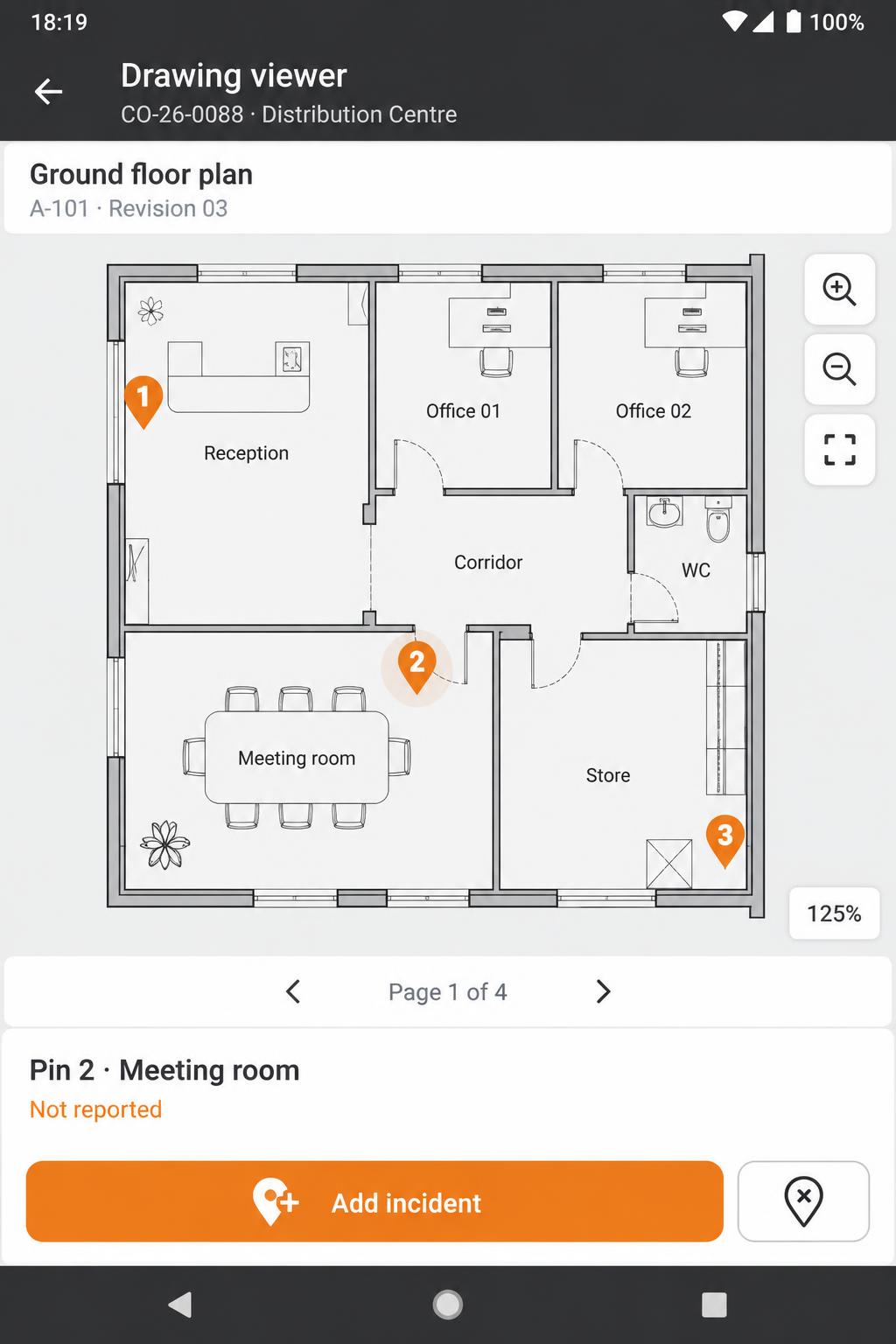
Open the drawing and pin the spot
Pick a project, open its floor plan, zoom in and tap exactly where the issue is. No drawings? Just type the location on site.
Step 3
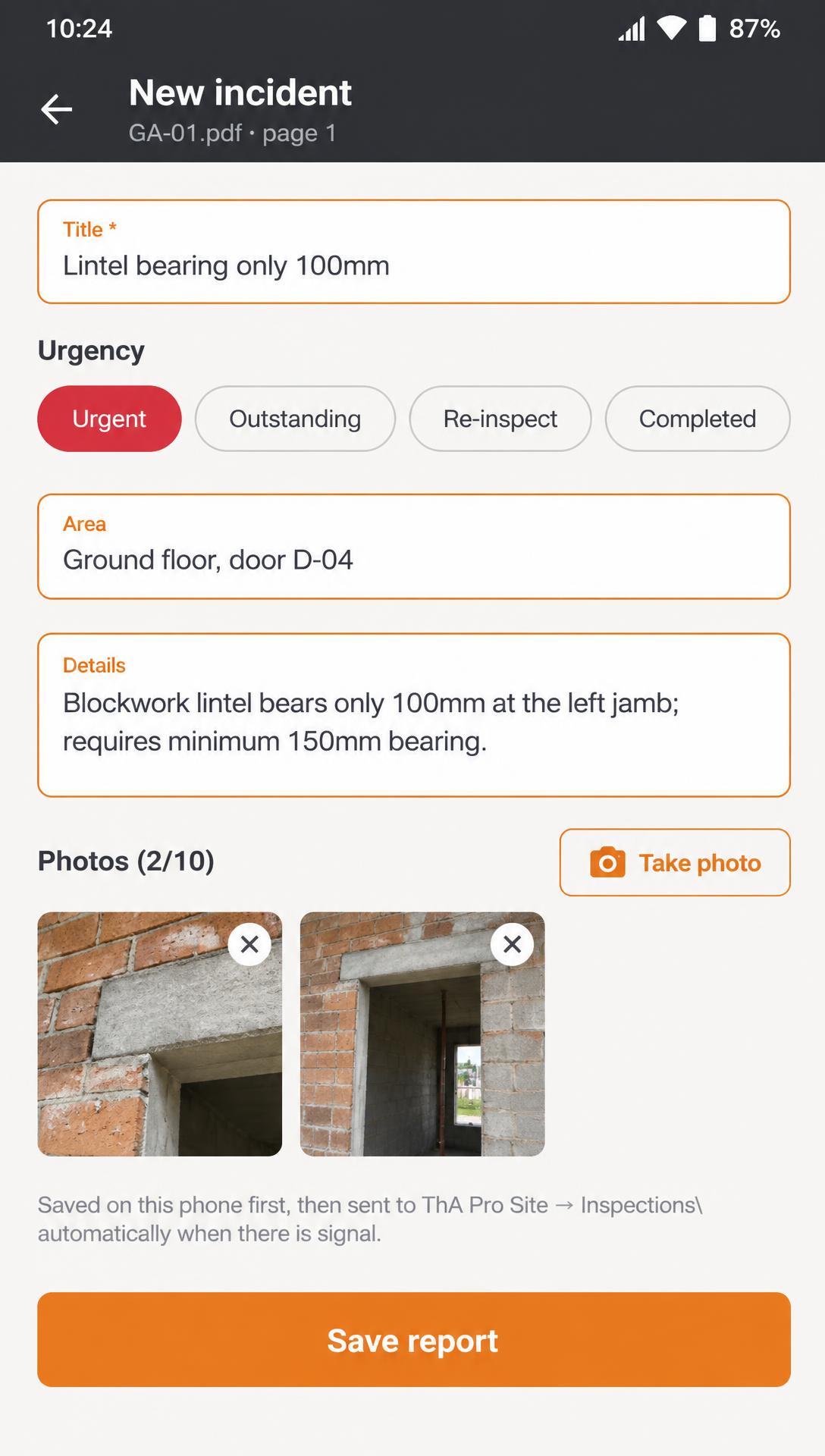
Capture the incident
Add a title, urgency, area, details and up to 10 photos. Reports wait on the phone and send automatically once there is signal.
Step 4
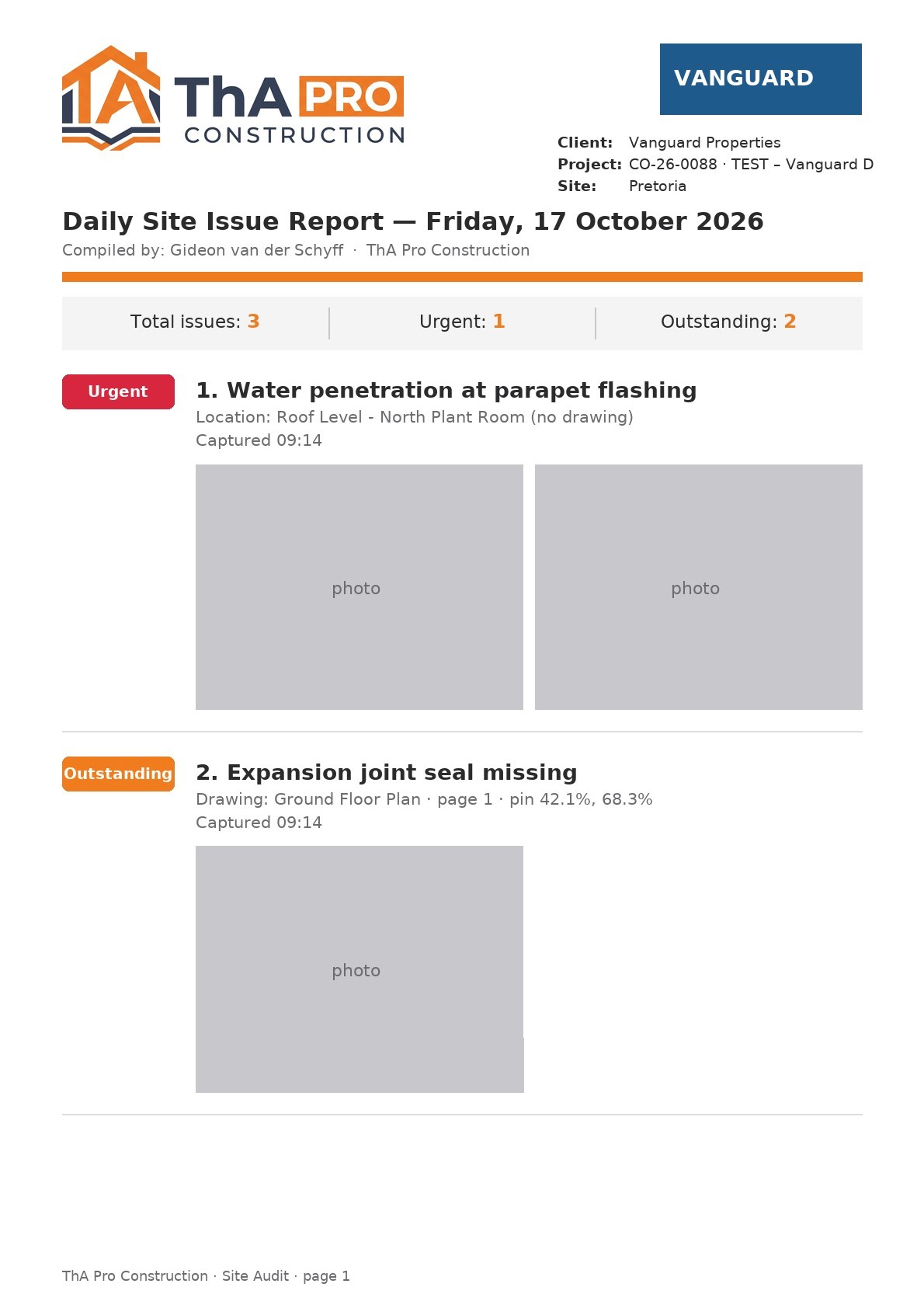
Send the daily report
Create a PDF of the day's issues with your company, the auditor, the client's logo and photos — share it or email it to the office.